I. Residential Proxy
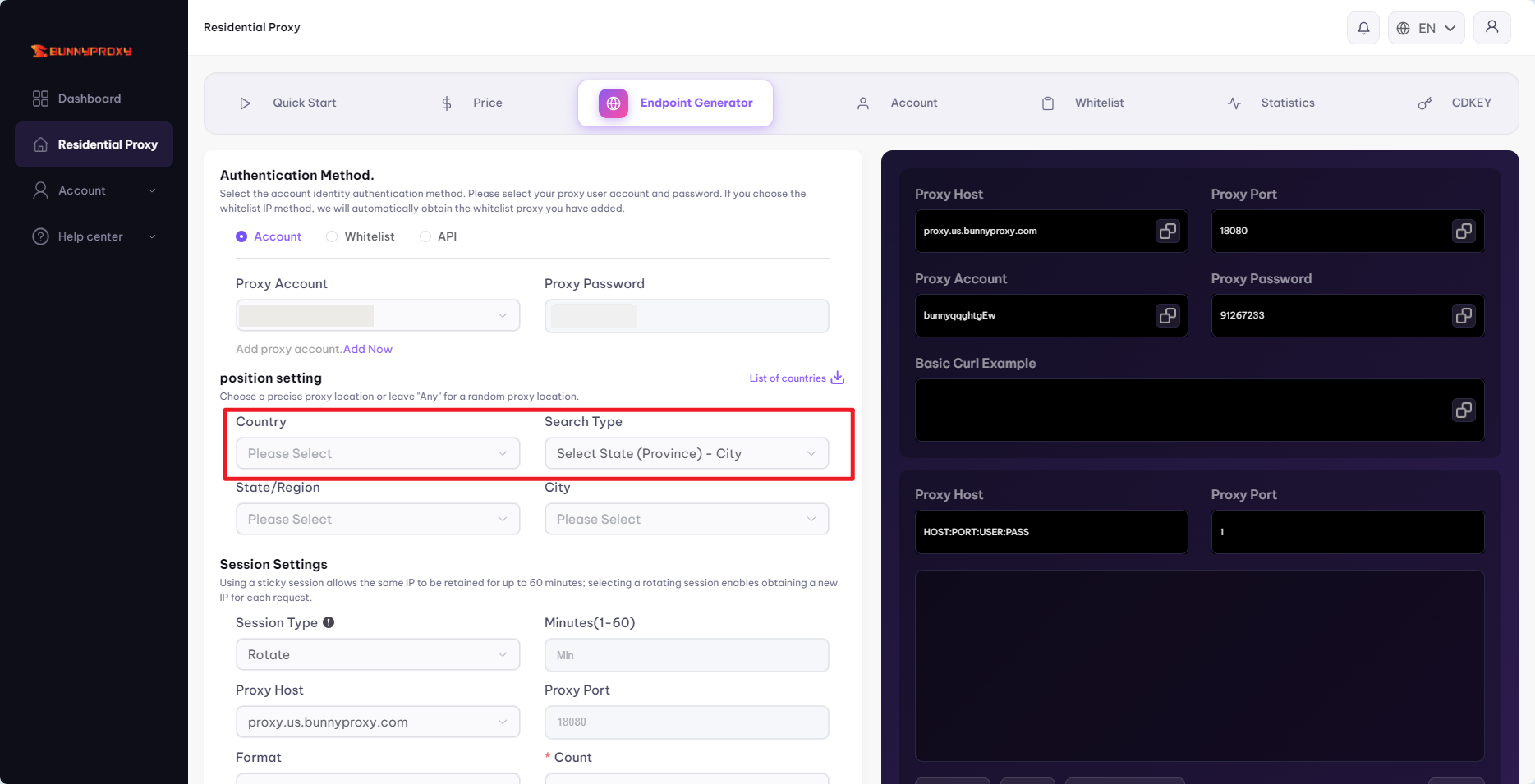
1. Extract rotating IP addresses based on [Country]-[City]
Select the [Country], choose the search type [Select State/Province - City], select the corresponding state and city, and then click Generate.
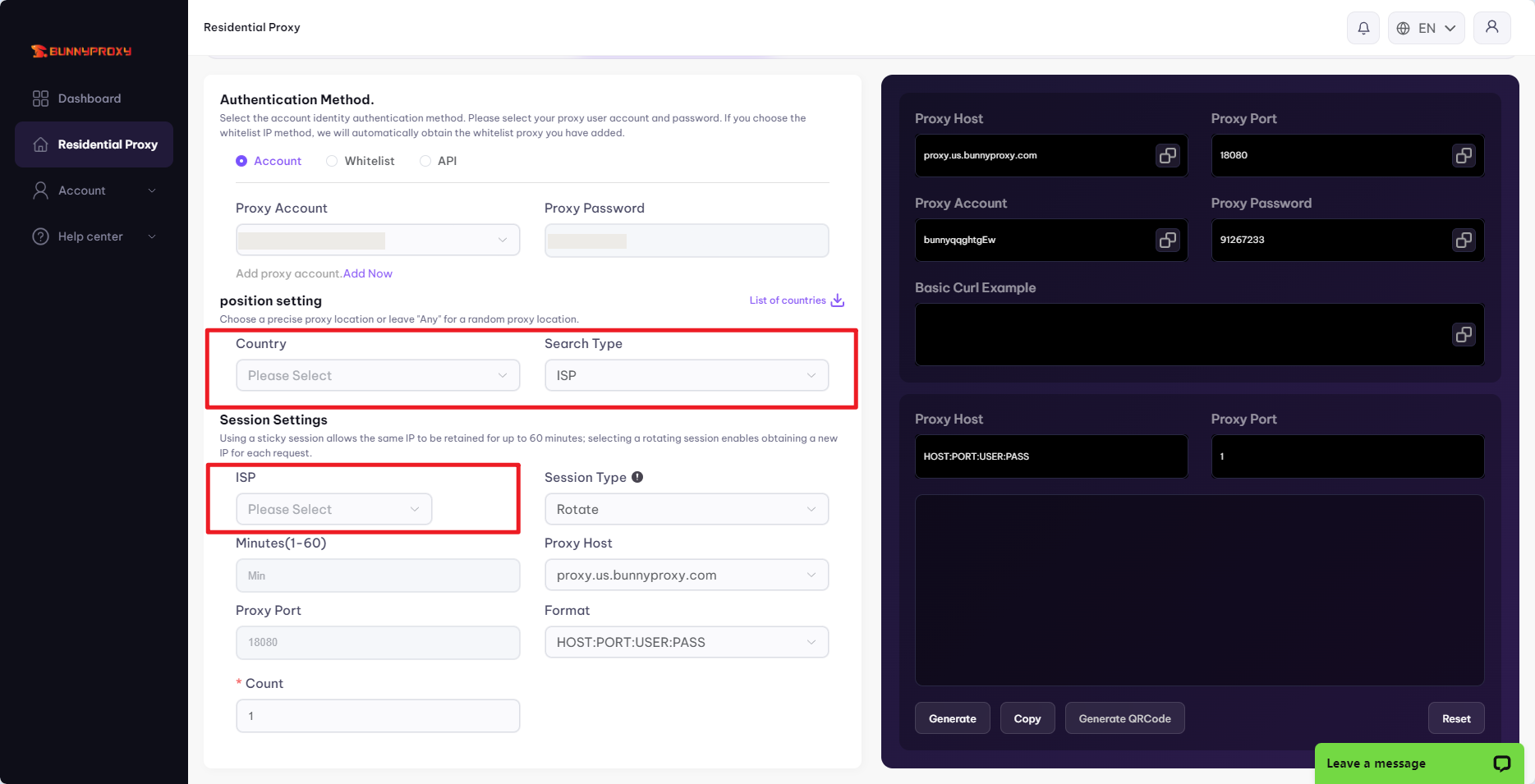
2. Extract rotating IP addresses based on [Country] - [Operator]
Select the [Country], choose [Operator] as the search type, select the corresponding operator, and then click Generate.
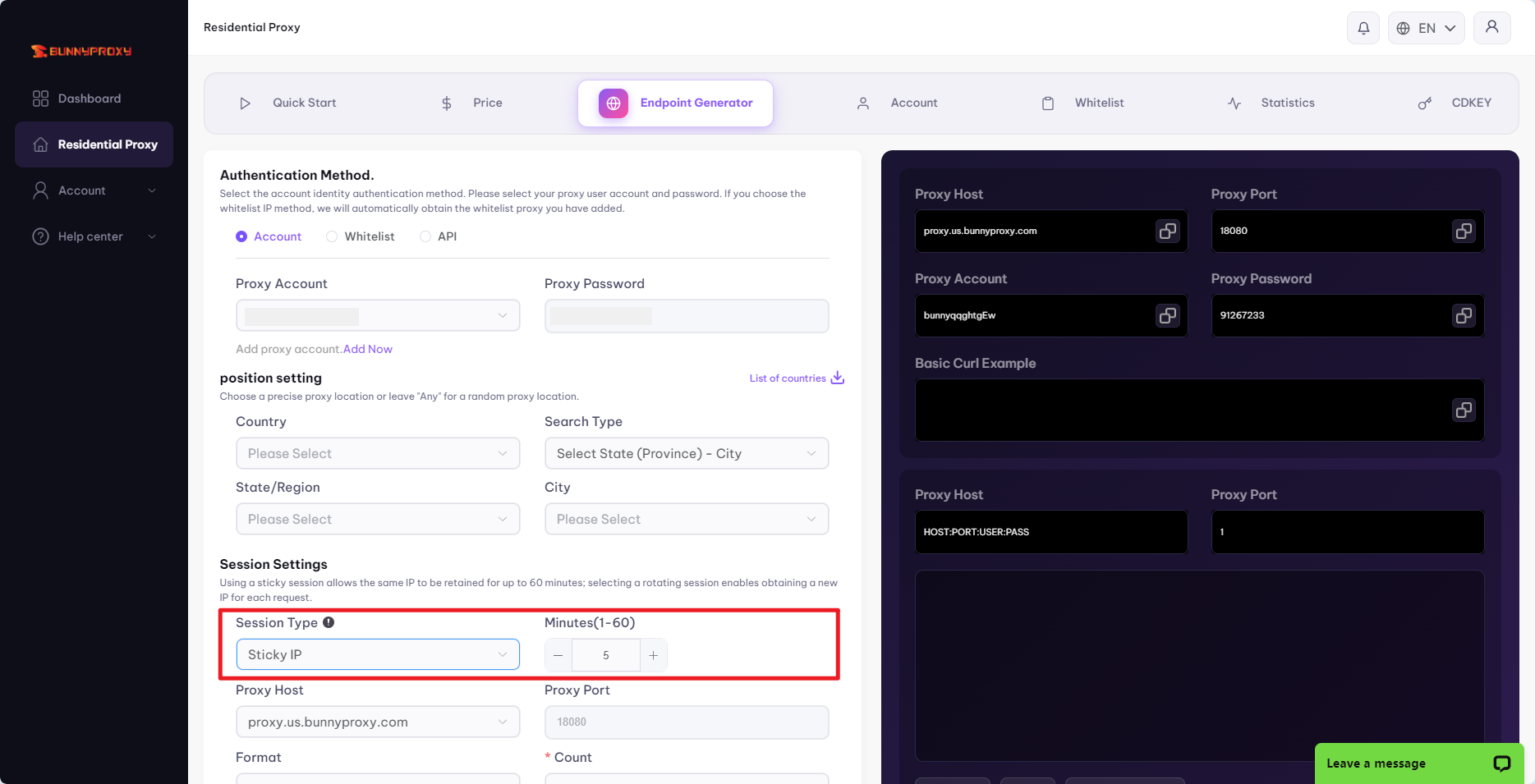
Extracting sticky IP addresses
The above steps remain unchanged; simply select "Sticky" for the [Session Type] and enter the duration.
Note: The duration of residential proxy session persistence is controlled by sessTime, in minutes, up to a maximum of 120 minutes.
II. Terminology Explanation
① Country
You can choose a random country globally (corresponding parameter: any), or select a specific country as needed, such as the United States (corresponding parameter: us).
Global random:
proxy.bunnyproxy.com:18080:username-random-any:password
USA:
proxy.bunnyproxy.com:18080:username-country-us:password
② Search Type
There are two types: one extracts IP addresses based on state/province and city, and the other extracts IP addresses based on the internet service provider.
State/Province:
proxy.bunnyproxy.com:18080:username-country-us-state-arizona:password
City:
proxy.bunnyproxy.com:18080:username-country-us-state-arizona-city-showlow:password
ISP:
proxy.bunnyproxy.com:18080:username-country-us-asn-AS10352:password
③ Proxy type
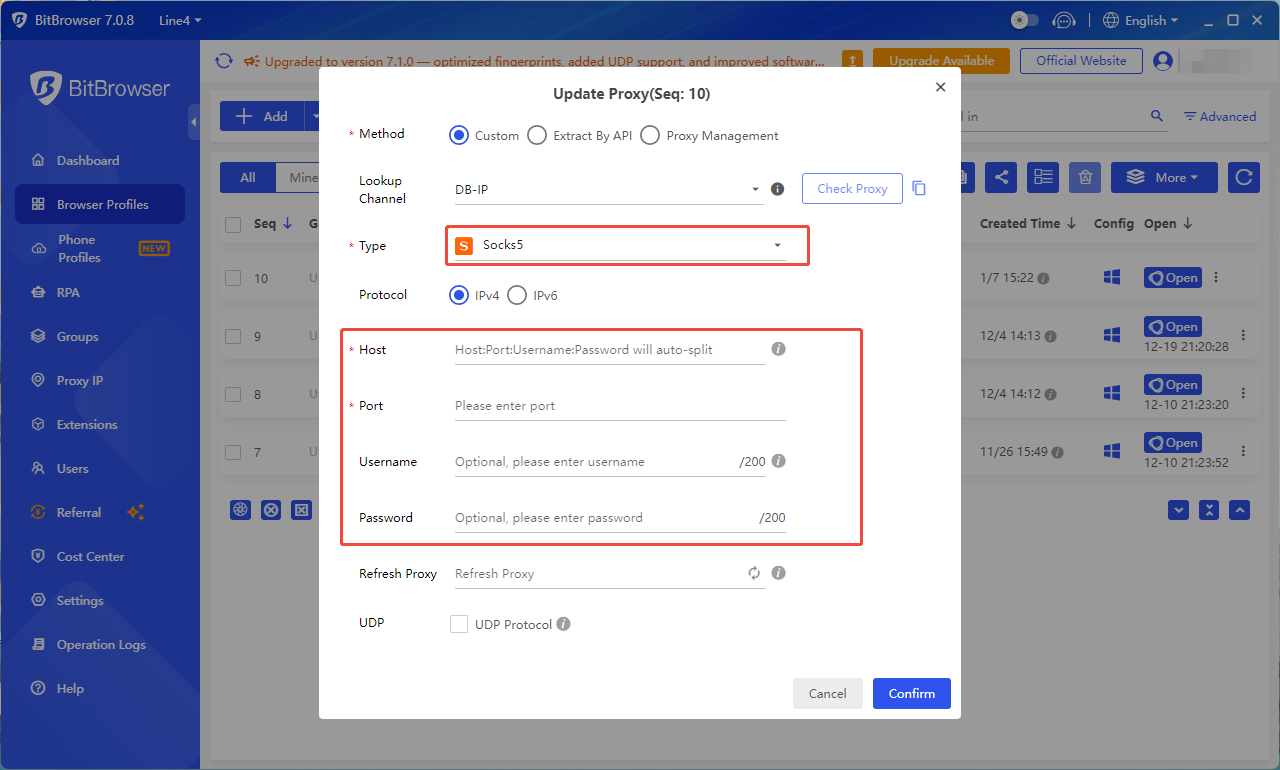
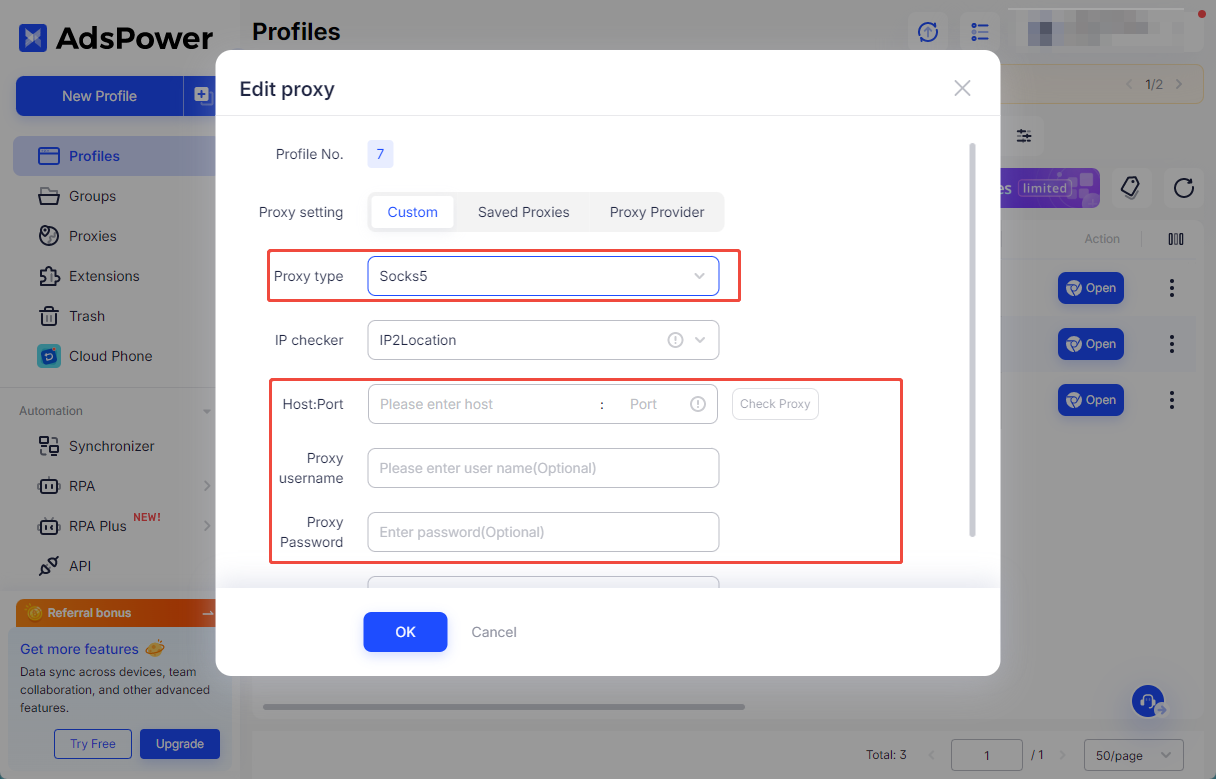
There are two types of proxy protocols: HTTP and Socks5. Socks5 is recommended for use within China, as many proxy tools do not support HTTP connections in the Chinese domestic environment.
④ Conversation type
There are two types of session types: Rotate and Sticky IP, corresponding to rotation mode and sticky mode, respectively. In rotation mode, each time a customer opens a browser or clicks to switch, a different IP address is assigned for the same parameters. In sticky mode, the same IP address will remain unchanged for a certain period of time for the same parameters, with the specific duration determined by the parameters entered during generation.
Please note that because we use dynamic IP addresses, and they are all real residential IP addresses, we cannot guarantee the duration of the IP address or control its online and offline status. We can only rely on big data analysis, combined with the historical online time of IP addresses, to allocate them to customers.
⑤ Number of minutes
In rotation mode, the number of minutes is not selectable, and the IP address switches automatically. In sticky mode, the basic product duration is 1-120 minutes, controlled by sessTime, and the parameter unit is minutes.
Basic 120 minutes:
proxy.bunnyproxy.com:18080:username-random-any-session-fzB8uy8l-sessTime-120:password
⑥ Proxy server
When choosing a server, you should select the server closest to your current location, not the server located in the target IP address's region.
proxy.bunnyproxy.com:
Global routes
⑦ Proxy port
A proxy port refers to a port opened on the server that allows access. Currently, our product uses a standard port: 18080.
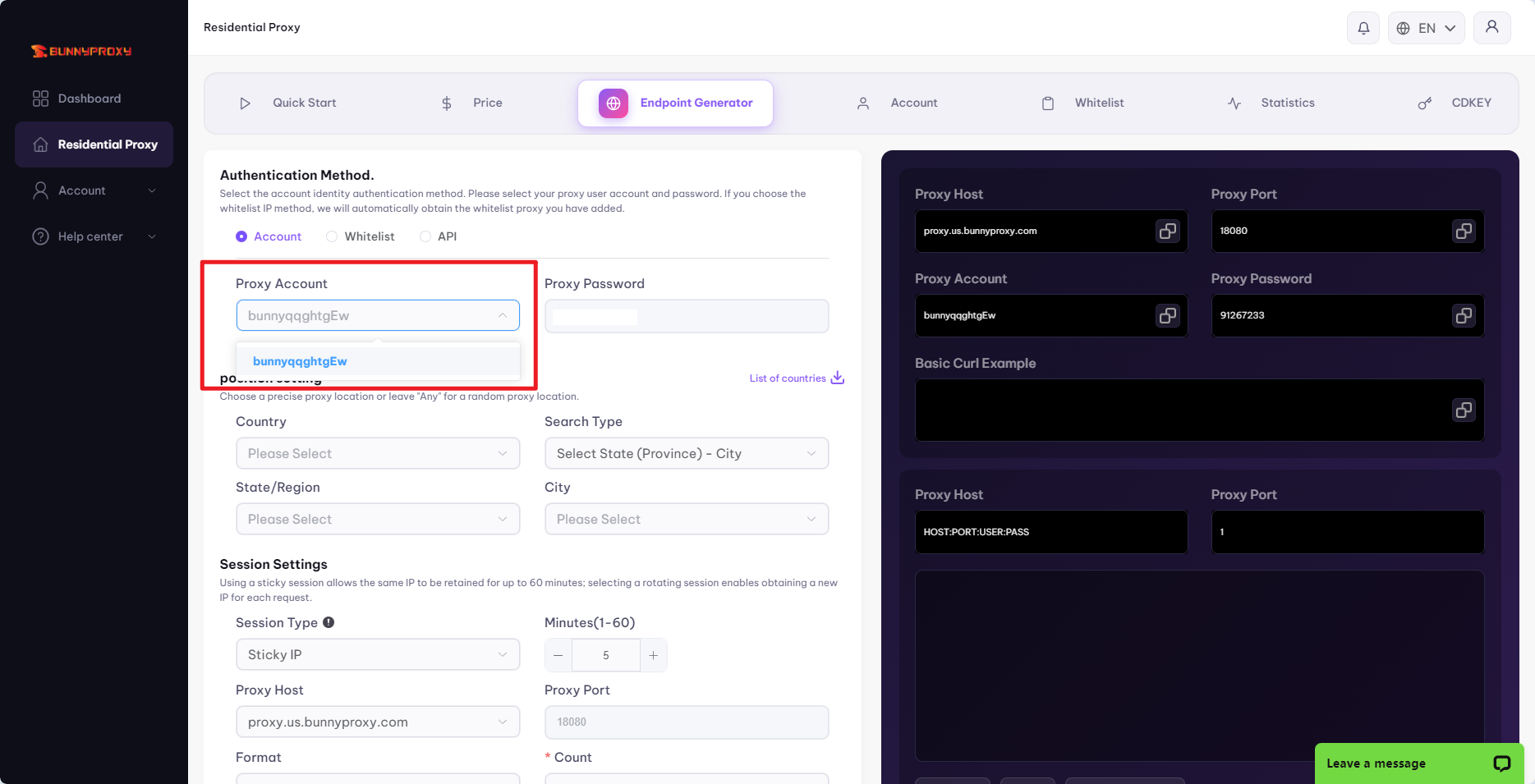
⑧ Proxy account, proxy password
The proxy account and proxy password are the most important parameters in generating the connection. If they are obtained by others, it is very easy for them to steal your data usage. We recommend that customers update their proxy passwords frequently.
In the basic product, you can add sub-accounts, which can also be used as parameters when generating links, and function the same as the main proxy account.
⑨ Format
The format represents the format of the parameter links we generate.
Example: HOST:PORT:USER:PASS, In this context, HOST refers to the [domain name or IP address], which is commonly referred to as the [proxy host] in proxy tools; PORT represents the [proxy port]; USER represents the [proxy account]; and PASS represents the [proxy password].
Our system supports four formats: HOST:PORT:USER:PASS, PORT:HOST:USER:PASS, PASS:PORT:HOST:USER, and USER:PASS@HOST:PORT. The most commonly used format is HOST:PORT:USER:PASS, which is also the format supported by most fingerprint browsers and proxy tools on the market, such as Bit Browser and ADS Browser.